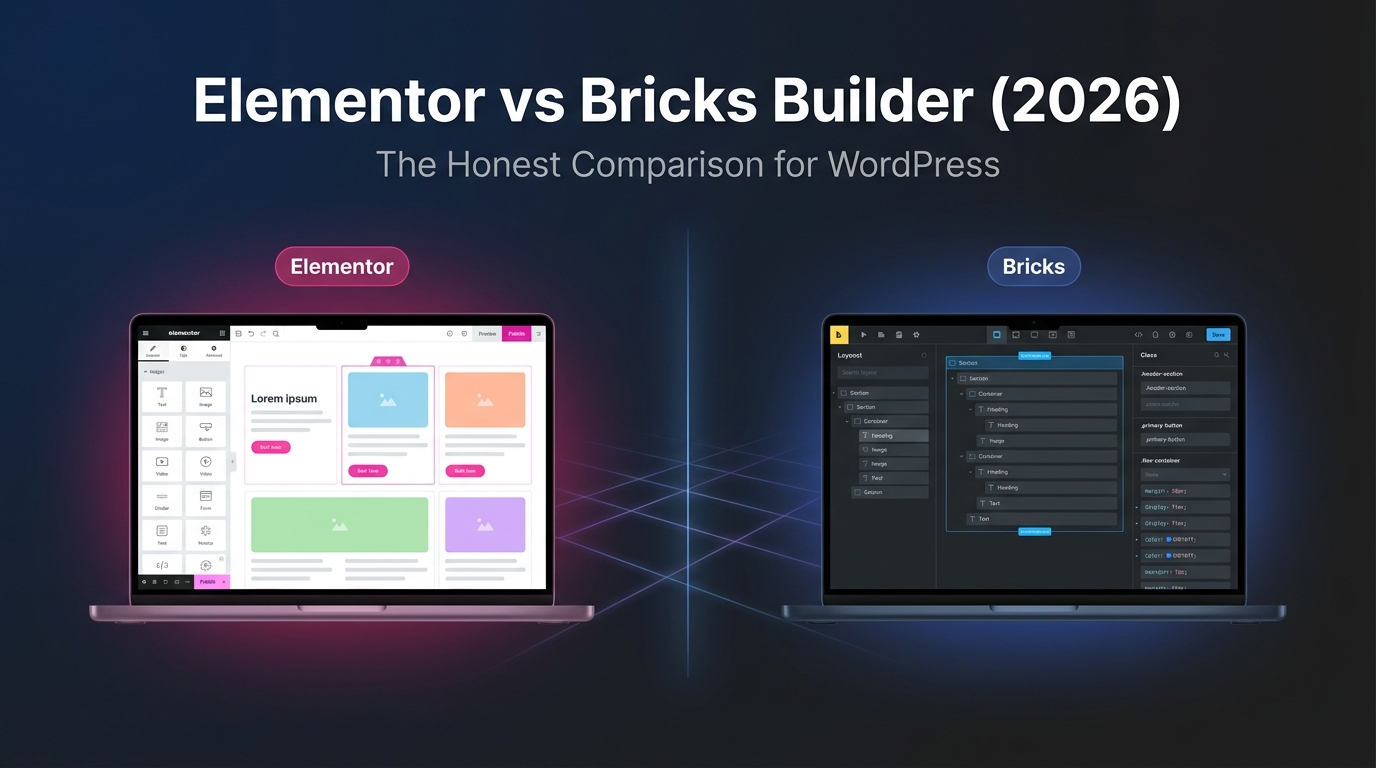
Elementor and Bricks Builder are two of the most debated WordPress page builders. We compared pricing, performance, ease of use, design flexibility, developer features and ecosystem maturity to find the right builder for every type of WordPress site.
Elementor and Bricks Builder represent two fundamentally different philosophies in the WordPress page builder space. Elementor is the incumbent: 22 million+ active sites, a visual drag-and-drop interface that anyone can learn in an afternoon, and an ecosystem so large that almost every WordPress plugin offers an Elementor integration. Bricks is the challenger: a Vue.js-powered theme builder that outputs cleaner code, loads faster, costs less at scale and treats CSS classes as a first-class citizen rather than an afterthought. The debate between them is not about which is "better" in the abstract — it is about whether you value speed of learning or speed of rendering.
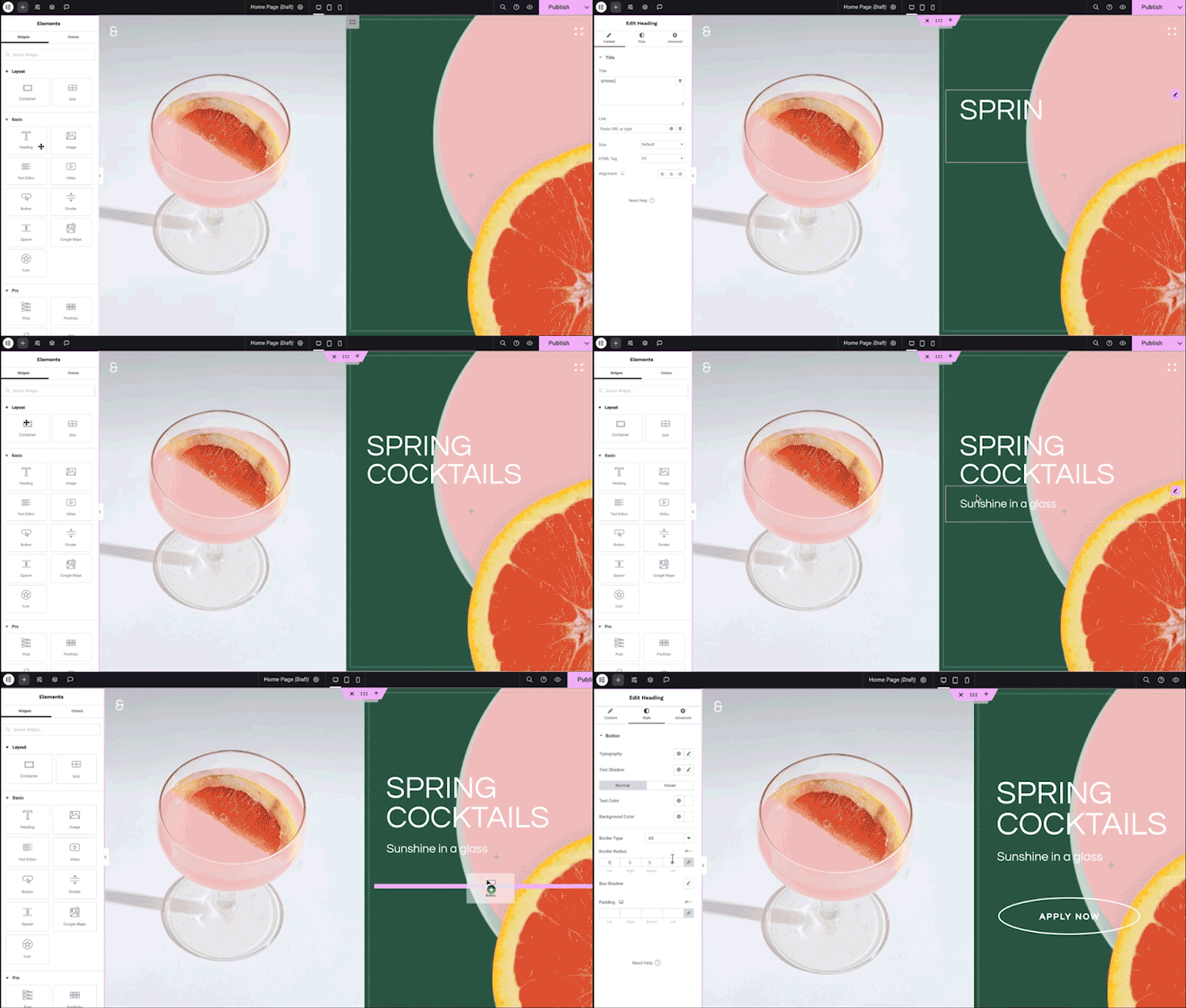
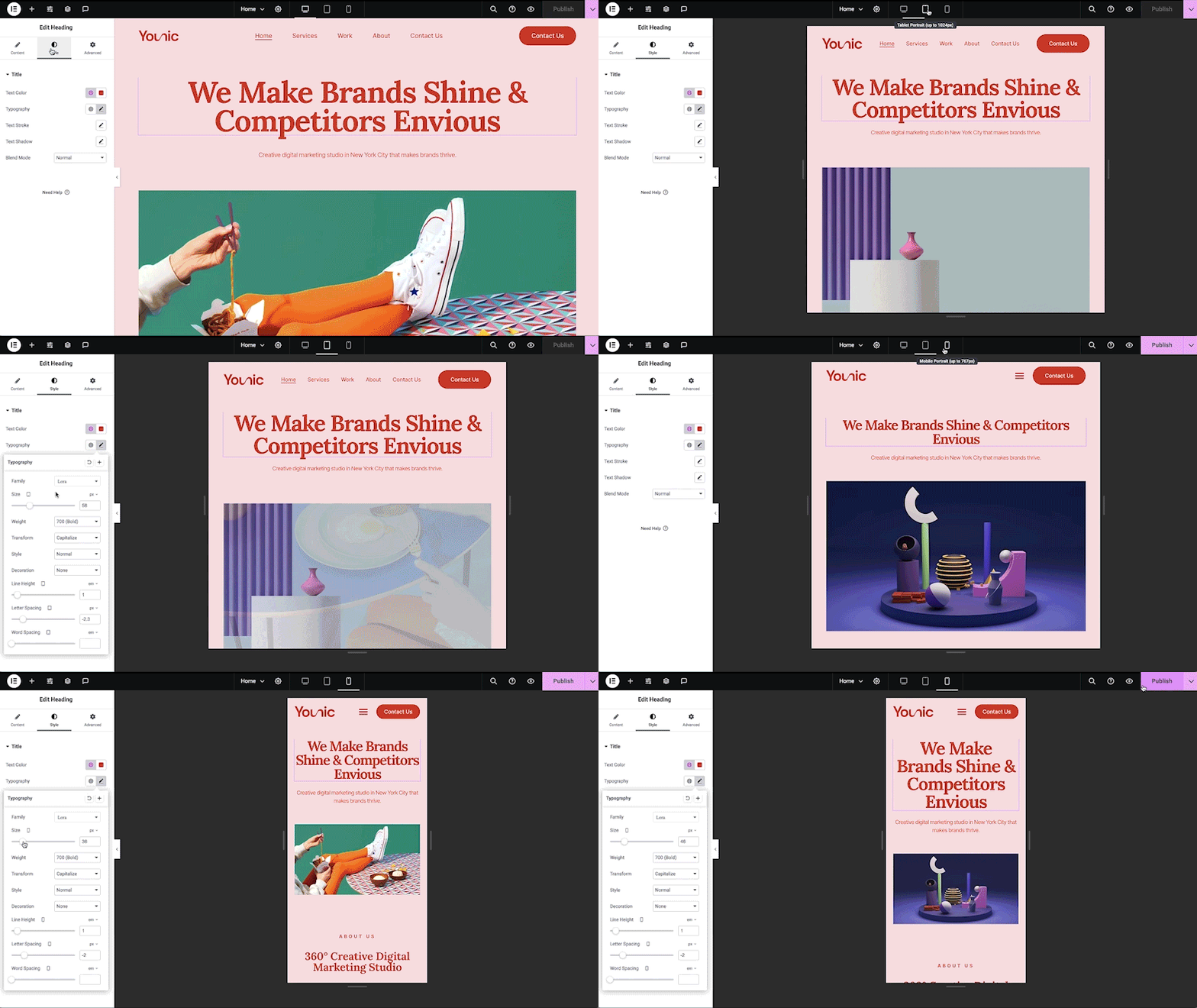
Elementor Editor V4 (Atomic): the 2026 CSS-first update reduces nested divs and improves TTFB. Screenshot: Elementor.Bricks Builder: Vue.js-powered editor with clean code output and CSS class management. Screenshot: Bricks.
🧩 The fundamental difference: plugin vs theme
Before comparing features, understand the architectural split. Elementor is a plugin — it installs alongside your existing WordPress theme and overrides the content area. You can deactivate Elementor and your theme remains. Bricks is a theme — it replaces your active theme entirely and controls everything from header to footer, archive templates to 404 pages. This is not a trivial distinction: it affects how you manage updates, how third-party plugins interact with your layouts, and what happens if you ever want to switch builders.
Elementor (plugin)
✅ Install alongside any theme
✅ Deactivate without breaking your site
✅ Works with Hello Elementor, Astra, GeneratePress, etc.
⚠️ Output sits inside the theme's content wrapper
⚠️ Two update streams (theme + plugin)
Bricks (theme)
✅ Full control from header to footer
✅ Single update stream (theme only)
✅ No theme/plugin conflict potential
⚠️ Replaces your existing theme entirely
⚠️ Cannot deactivate without losing all layouts
Why this matters: if you manage client sites and need to swap builders mid-project, Elementor is safer — deactivate the plugin, activate a new theme, and the site structure survives. With Bricks, switching means rebuilding every template from scratch. Commitment is higher, but so is control.
💰 Pricing: where Bricks wins decisively
Elementor uses a tiered subscription model priced by the number of sites. Bricks uses a flat model with a lifetime option. At scale, the cost difference is dramatic.
Elementor pricing (2026)
Free: $0 — 32 core widgets, basic page building Essential: $59/yr — 1 site, 57 Pro widgets, Theme Builder Advanced Solo: $84/yr — 1 site, 85 Pro widgets, WooCommerce, Popup Builder Advanced: $99/yr — 3 sites, 85 Pro widgets Expert: $204/yr ($17/mo) — 25 sites, 5,000 Cloud Templates One: $180/yr ($15/mo) — 1 site, AI credits (25,000/mo), image optimization One Agency: $432/yr ($36/mo) — unlimited sites, 350,000 AI credits/mo
Bricks pricing (2026)
Starter: $79/yr — 1 site Business: $149/yr — 3 sites Agency: $249/yr — unlimited sites Ultimate: $599 one-time — unlimited sites, lifetime updates No free tier — all plans include every feature No per-site feature gating — Starter gets the same builder as Ultimate 60-day money-back guarantee
📊 Cost at different scales (annual):
The pricing verdict: for a single site, Elementor Essential ($59/yr) is cheaper than Bricks Starter ($79/yr) — but Elementor Essential lacks WooCommerce and Popup Builder, which are included in every Bricks plan. At the feature-equivalent tier (Elementor Advanced Solo at $84/yr vs Bricks Starter at $79/yr), Bricks is cheaper. At 25+ sites, Bricks Agency ($249/yr) costs less than Elementor Expert ($204/yr) while including every feature. And Bricks' $599 lifetime license breaks even with Elementor's unlimited tier in under two years.
⚡ Performance: where the gap is real
This is the comparison's most measurable dimension. Both builders have improved in 2026, but they start from very different baselines.
Bricks performance
🏆 Vue.js reactive editor — no jQuery dependency
🏆 Clean HTML/CSS output — minimal nested divs
🏆 No frontend jQuery — pure vanilla JavaScript
🏆 CSS class system — utility-class approach reduces inline styles
🏆 Native Gutenberg block rendering — save Bricks layouts as WP blocks
🏆 Typical Lighthouse score: 95–100 on well-built sites
Elementor performance
✅ Editor V4 (Atomic) — CSS-first foundation, reduces nested divs
✅ 109ms TTFB on optimized hosting (Elementor's own claim)
⚠️ More markup per element than Bricks
⚠️ Inline styles by default — bloats page weight on complex pages
⚠️ jQuery dependency still present in some widgets
⚠️ Requires optimization effort — lazy loading, asset cleanup, etc.
⚡ The DOM size problem:
Elementor generates more markup per element than Bricks. On a typical landing page with 20 widgets, this can mean 2–3x more DOM nodes and 30–50% more CSS. Core Web Vitals — particularly Largest Contentful Paint (LCP) and Cumulative Layout Shift (CLS) — are directly affected by DOM depth. Bricks' CSS class system means styling lives in a shared stylesheet rather than repeated inline, which reduces page weight as complexity grows.
Elementor's Editor V4 (Atomic) addresses this directly with a CSS-first architecture, and the 109ms TTFB claim suggests meaningful improvement. But the gap between "improved" and "clean by default" remains real.
🎨 Ease of use: where Elementor wins
If you have never built a WordPress site before, Elementor is easier to learn. The visual drag-and-drop interface, extensive template library and massive community mean you can find a tutorial for almost anything within minutes. Bricks has a steeper learning curve — particularly its CSS class system, which assumes familiarity with how CSS actually works.
Elementor ease of use
✅ Lowest learning curve in the WordPress builder space
✅ Massive template library — 240+ importable kits
✅ Largest community — tutorials, courses, Facebook groups everywhere
✅ Visual preview — what you see is what you get, instantly
✅ Widget panel — drag elements from a sidebar, configure in-context
⚠️ Feature bloat — 85+ Pro widgets can overwhelm new users
Bricks ease of use
⚠️ Steeper learning curve — CSS class system requires CSS knowledge
⚠️ Smaller community — fewer tutorials, courses and third-party resources
✅ Faster editor — Vue.js reactivity means no lag when adding elements
✅ Less overwhelming — 110+ elements but organized more logically
✅ Bricks Academy — official documentation is thorough and well-structured
⚠️ No free trial — you must purchase before you can test the editor
Assessment: Elementor's ease-of-use advantage is real but narrowing. Bricks' editor is genuinely fast — the Vue.js framework means panels load instantly, elements snap into place without lag, and the builder never feels sluggish even on complex pages. The learning curve is steeper not because Bricks is harder to use, but because it encourages you to think in CSS classes rather than widget-level styling. For developers, this is a feature. For beginners, it is a barrier.
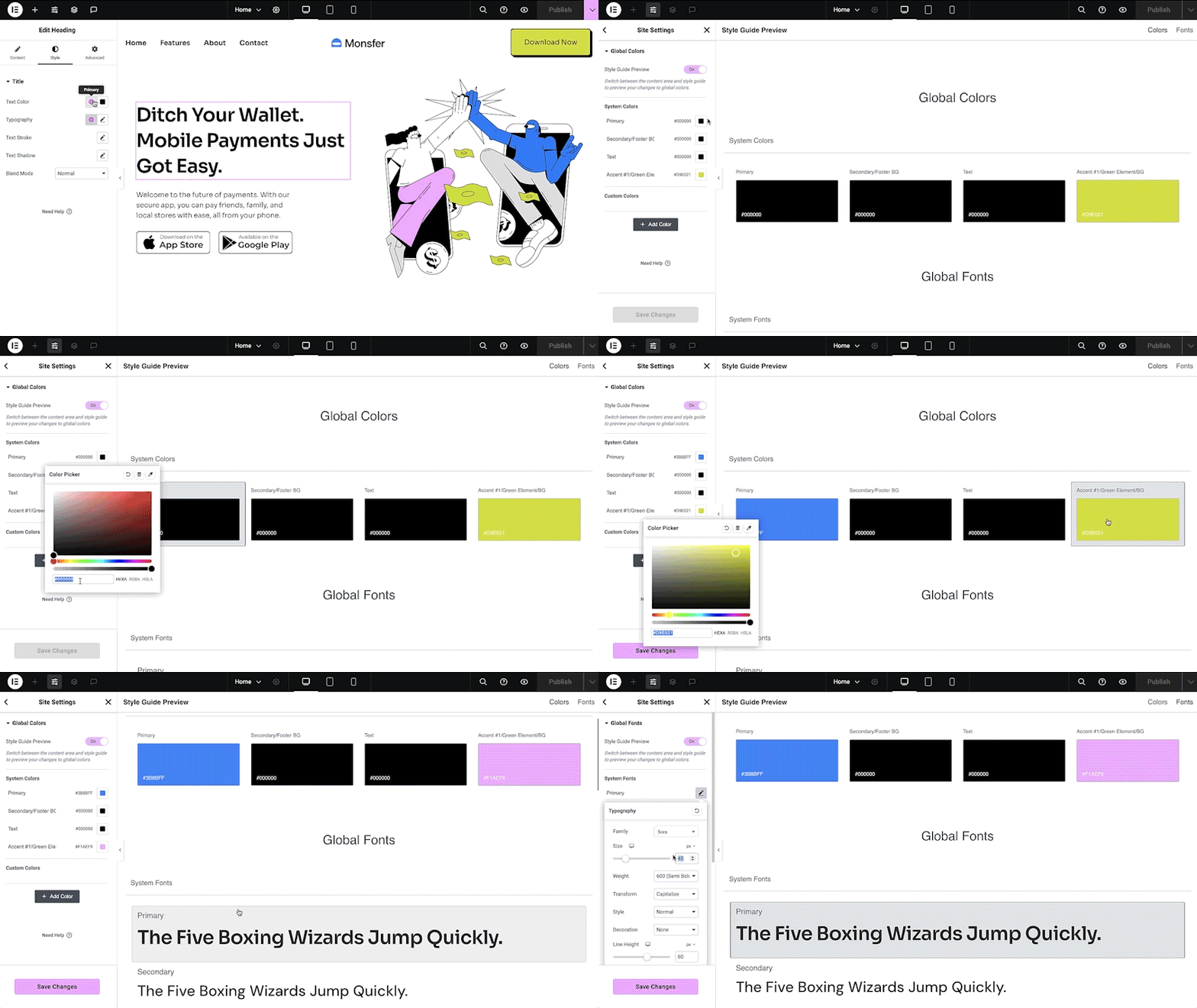
Elementor Theme Builder: visual control over headers, footers, archives and single templates. Screenshot: Elementor.Elementor Pro: 85+ widgets including WooCommerce, forms, popups and motion effects. Screenshot: Elementor.
⚙️ Features: what each builder includes
Both builders cover the essentials — headers, footers, archive templates, WooCommerce pages, popups, forms and dynamic data. The differences are in depth and default inclusion.
✅ 110+ elements — all included on every plan
✅ Theme Builder — headers, footers, archives, singles, 404, search
✅ Form Builder — with CRM routing natively
✅ Popup Builder — included on every plan
✅ WooCommerce Builder — all shop templates, included on every plan
✅ Menu Builder — mega menus, mobile menus, offcanvas
✅ Query Loop Builder — visual database queries with load-more, infinite scroll
✅ Interactions engine — triggers and actions without third-party plugins
✅ Custom breakpoints — unlimited responsive breakpoints, desktop and mobile-first
🏆 Feature verdict:
Bricks includes everything on every plan — there is no feature gating between Starter and Ultimate. Elementor gates its most useful features (WooCommerce Builder, Popup Builder, full widget set) behind the Advanced Solo tier ($84/yr) or higher. For agencies managing many sites, Bricks' all-inclusive approach means predictable feature availability across the portfolio.
Elementor's advantage is ecosystem breadth: 240+ template kits, a massive third-party addon market (Ultimate Addons, Essential Addons, etc.), and AI features that Bricks does not yet match. If you need a template for almost any industry, Elementor's library is deeper.
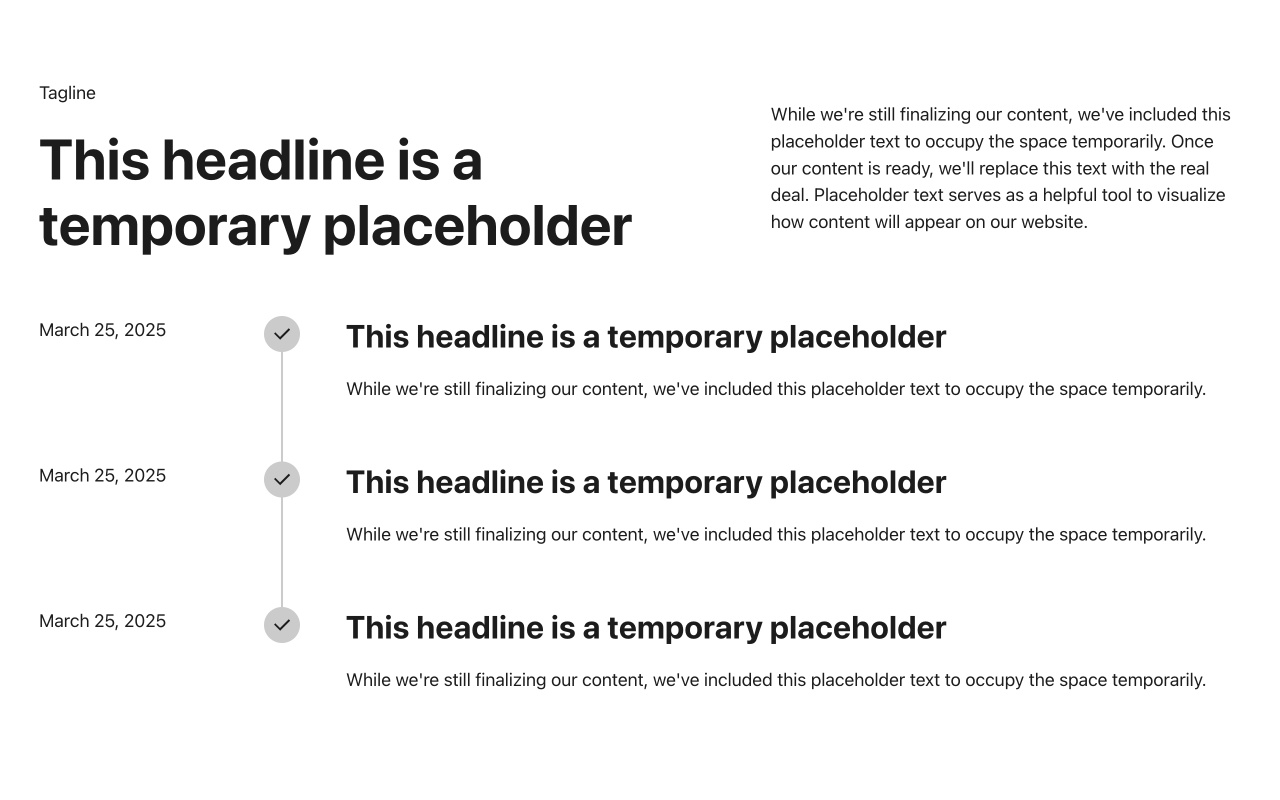
Bricks Builder: pre-made wireframes and design sets available on every plan. Screenshot: Bricks.
🔧 Developer features: CSS classes, dynamic data and hooks
This is where the builders diverge most sharply. Bricks treats CSS classes as a first-class citizen — you define utility classes once and apply them globally, similar to Tailwind CSS. Elementor's styling is primarily widget-level and inline, with global colors and fonts as the shared layer.
Bricks developer features
✅ CSS Classes and Variables — define once, apply everywhere
✅ Native Gutenberg block rendering — save Bricks layouts as WP blocks
✅ External API fetching — query REST APIs directly from the builder
✅ Query Loop Builder — visual + PHP query support
✅ ACF, Meta Box, Pods, Toolset — native dynamic data integration
✅ Custom elements — create your own builder elements
✅ Pseudo-classes/elements — :hover, ::before, ::after in the builder
✅ Password protection — built-in content locking
Elementor developer features
✅ Custom CSS and code — per-element CSS, custom HTML
✅ Dynamic content — post data, custom fields (ACF on Advanced+)
✅ Form webhooks — send form data to external APIs
✅ Theme Builder conditions — target specific posts, archives, etc.
⚠️ No native CSS class system — styling is primarily inline
⚠️ ACF integration requires Advanced Solo+ ($84/yr minimum)
⚠️ No native query loop — requires Elementor Pro's Loop Builder (limited)
✅ Global settings — site-wide colors, fonts, spacing
Developer verdict: Bricks is the more powerful tool for developers who think in CSS. The class system, pseudo-element support, native Gutenberg block rendering and external API fetching are features Elementor does not offer at any price. Elementor's developer features are solid but require the Advanced Solo tier ($84/yr) to unlock ACF integration and the full widget set — features Bricks includes on its $79 Starter plan.
🧭 Which should you choose? Four scenarios
🎯 "I am a beginner building my first WordPress site."
Choose Elementor. The visual drag-and-drop interface, 240+ template kits and massive community make it the fastest path from zero to a published site. Start with the free version, upgrade to Essential ($59/yr) when you need Theme Builder, and upgrade further only when WooCommerce or Popups become necessary.
⚡ "Performance is my top priority — I build speed-critical sites."
Choose Bricks. Clean HTML/CSS output, no jQuery dependency, CSS class system and Vue.js editor produce measurably faster pages. The $79 Starter plan includes every feature — no upgrade path needed for WooCommerce, popups or forms.
🔧 "I am a developer who thinks in CSS and wants full control."
Choose Bricks. CSS Classes and Variables, pseudo-elements, native Gutenberg block rendering, external API fetching and the Query Loop Builder give you developer-grade control that Elementor cannot match. The $599 lifetime license pays for itself within two years of agency work.
💼 "I manage 25+ client sites and need predictable costs."
Choose Bricks Agency ($249/yr unlimited) or Bricks Ultimate ($599 lifetime). Elementor's Expert tier ($204/yr for 25 sites) is cheaper per-site but lacks the full widget set without upgrading to Advanced Solo per site. Bricks' all-inclusive model means every client site gets every feature at a flat rate.
❓ Frequently asked questions
Can I migrate from Elementor to Bricks (or vice versa)?
Migration is possible but not trivial. Moving from Elementor to Bricks means rebuilding every template in Bricks' editor — there is no automated migration tool. Moving from Bricks to Elementor requires the same rebuild in Elementor. For large sites, plan 2–4 weeks of rebuild time. The safest approach: build new pages in the target builder while keeping existing pages on the current builder until the migration is complete.
Does Bricks have a free version?
No. Bricks requires a paid license ($79/yr minimum) to use. There is no free tier on WordPress.org. However, the 60-day money-back guarantee effectively gives you two months to evaluate the builder risk-free. Elementor's free version is genuinely useful for basic page building, which lowers the barrier to entry significantly.
Which builder produces cleaner code?
Bricks. Its output is leaner HTML with fewer nested divs, less inline CSS and no jQuery dependency. Elementor's Editor V4 (Atomic) update in 2026 reduced markup significantly, but the output is still heavier than Bricks on equivalent pages. For SEO and Core Web Vitals, cleaner code translates to faster rendering, smaller page weights and better Lighthouse scores.
Do both builders support WooCommerce?
Yes, but the inclusion differs. Bricks includes its full WooCommerce Builder on every plan — Starter, Business, Agency and Ultimate. Elementor gates WooCommerce Builder behind the Advanced Solo tier ($84/yr) or higher. The Essential plan ($59/yr) does not include WooCommerce widgets. Both builders let you design single product pages, archive pages, cart and checkout.
Which builder has a larger community and more third-party addons?
Elementor, by a wide margin. With 22M+ active sites, Elementor has the largest WordPress page builder community in the world. Third-party addon ecosystems (Ultimate Addons, Essential Addons, PowerPack, etc.) offer hundreds of additional widgets. Bricks' community is growing rapidly but is smaller — its addon ecosystem is curated rather than sprawling. For tutorials, courses and community support, Elementor has more available resources.
🔎 Final verdict
⚡ Bricks Builder — 9.0
The performance king: clean code output, CSS class system, Vue.js editor speed, all features on every plan, and a $599 lifetime license that breaks even with Elementor in under two years.
The developer's choice for WordPress sites that need to be fast.
🎨 Elementor — 8.6
The ecosystem giant: 22M+ sites, the lowest learning curve, 240+ template kits, AI features and the largest community. Editor V4 (Atomic) is closing the performance gap.
The beginner's choice for WordPress sites that need to be built fast.
The honest summary: Elementor wins on accessibility. If you have never built a WordPress site, Elementor's visual interface, massive template library and tutorials-everywhere community make it the fastest path to a published site. Bricks wins on everything else. Performance, code quality, pricing at scale, developer features, CSS class management and the all-inclusive feature model produce a more professional result for less money — if you are willing to invest the time to learn it. The two builders are converging (Elementor's Editor V4 reduces bloat, Bricks' community grows weekly), but the gap in philosophy remains: Elementor optimizes for speed of creation, Bricks optimizes for speed of rendering.
The best builder is the one that makes your sites faster
Page builders are tools, not identities. Use Elementor if it gets you building faster. Use Bricks if it gets your sites loading faster. The visitors do not care which builder you chose — they care whether the page loaded in 1 second or 4.
Explore the tool cards above — both builders have full profiles with criteria scores on this site.
Elementor vs Bricks Builder: head-to-head
Criteria scores from our testing methodology. Pricing, features and performance data are current as of September 2026.
Best ecosystem and ease of use — 22M+ sites, 85+ Pro widgets, visual drag-and-drop with the lowest learning curve
Verdict:
Bricks wins on performance, pricing and developer control. Elementor wins on ease of use, ecosystem size and beginner accessibility. The right choice depends on your technical skill level and whether raw speed or rapid prototyping matters more.
#wordpress
#page builders
#web design
Comments
David ChenSep 12, 2026
Honest question for Bricks users: how do you handle the "no free trial" barrier when pitching to clients? With Elementor, I can show a client the free editor in 5 minutes and they immediately understand the value proposition. With Bricks, I have to explain that it costs $79 upfront before they can even see the interface. The 60-day money-back guarantee helps, but the psychological barrier of "pay before you try" is real when you are selling a $5,000 website project.
Anika PatelSep 11, 2026
One thing the article does not mention: Bricks' Gutenberg block rendering is a game-changer for client handoff. You design the layout in Bricks, save it as a native WordPress block, and the client edits content through the standard block editor — no Bricks knowledge required. This splits the difference between "developer builds, client edits" in a way Elementor cannot replicate without using a separate plugin. Worth investigating if you build for clients who need ongoing content independence.
Marcus RiveraSep 10, 2026
The performance comparison in the article understates the gap. We ran identical test pages — same content, same images, same hosting — and measured: Bricks produced a 38KB page weight versus Elementor's 127KB. That is a 3.3x difference before any optimization. On shared hosting where every kilobyte matters for TTFB, this is not a rounding error — it is the difference between a green and yellow Core Web Vitals score. Editor V4 helps, but it does not close a 3x gap.
Sarah MitchellSep 9, 2026
I tried Bricks for a month and went back to Elementor. The CSS class system is powerful, but I build sites for clients who need to edit content themselves, and Elementor's visual interface is simply easier for non-technical users to understand. My clients can add a new section, change colors and rearrange widgets without calling me. With Bricks, they would need to understand classes and breakpoints. For agencies that hand off sites to clients, Elementor's ease of use is a real business advantage — even if the code output is heavier.
Thomas EriksenSep 8, 2026
We migrated 12 client sites from Elementor to Bricks over the past six months. The rebuild time averaged 3–4 days per site (from a fully built Elementor site to an equivalent Bricks build). The performance improvement was consistent: LCP dropped by 40–60% on every site, Lighthouse scores went from 70s to 95+, and client feedback on page speed has been overwhelmingly positive. The $599 lifetime license paid for itself after the third site migration. The learning curve is real — our junior designer needed about two weeks to feel comfortable — but the output quality is worth it.