ChatGPT and Gemini are the two most popular AI assistants in 2026. We compared their models, pricing, multimodal capabilities, ecosystem integration, coding performance and everyday usability to find which one fits your workflow.
ChatGPT and Gemini are the two dominant AI assistants of 2026. OpenAI's GPT-5.6 family powers ChatGPT with the broadest standalone feature set — voice, image generation, Codex, Agent Mode and a plugin ecosystem that dwarfs every competitor. Google's Gemini 3.1 Pro counters with native multimodal understanding of video and audio, the cheapest entry price in the market, and deep integration into Gmail, Docs, Drive and the rest of Google Workspace. The question is not which model is "smarter" — both are excellent — but which ecosystem fits how you actually work.
Both companies now ship tiered model families rather than a single flagship. The difference is in how they structure the tiers and what you get at each level.
ChatGPT models (2026)
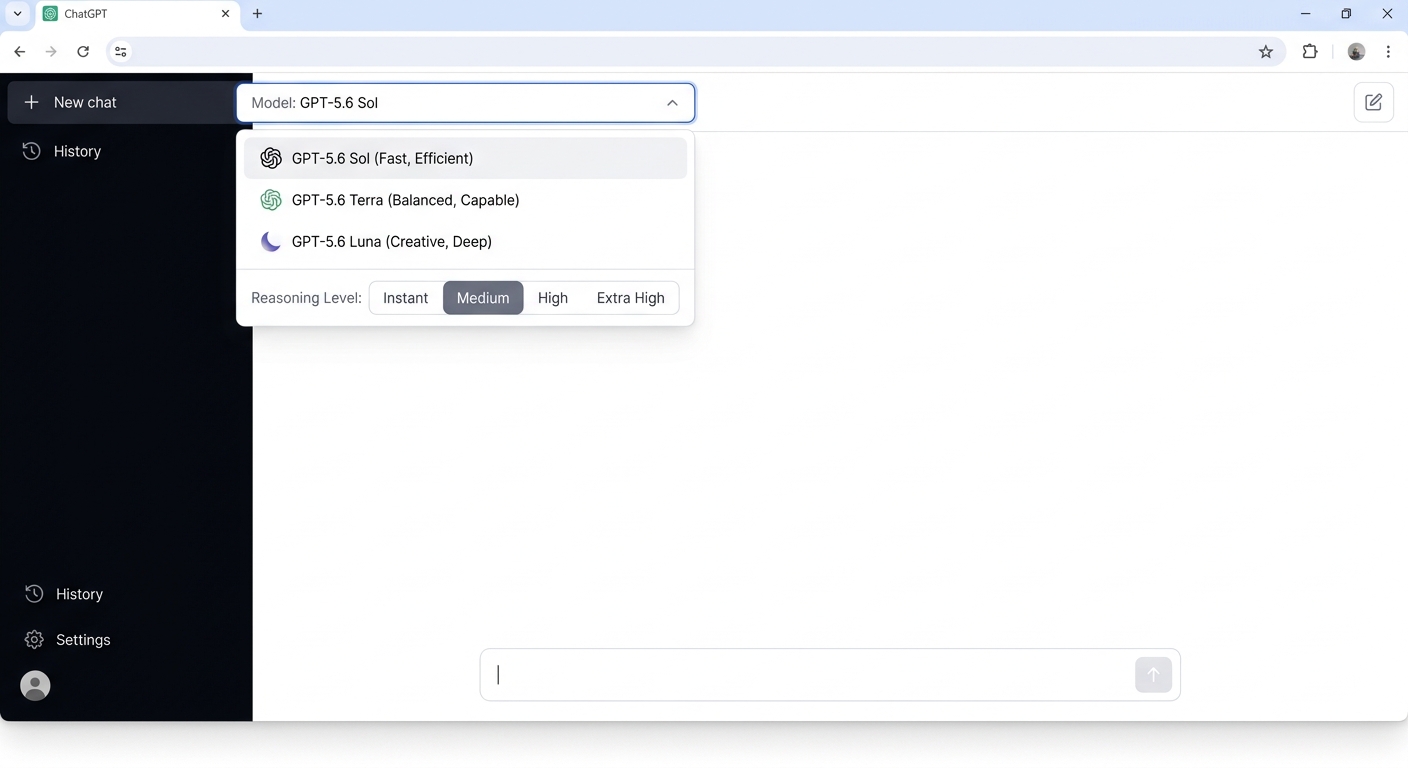
GPT-5.6 Sol — flagship, strongest reasoning GPT-5.6 Terra — balanced, midrange intelligence GPT-5.6 Luna — fast, efficient, high-volume GPT-6 Pro — rolling out for Pro/Enterprise GPT-5 Thinking Mini — reasoning on Free/Go Reasoning levels: Instant → Medium → High → Extra High Context: 128K (Pro), 54K (Go/Plus), 27K (Free)
Gemini models (2026)
Gemini 3.1 Pro — flagship, complex reasoning Gemini 3.5 Flash — fast, coding-focused Gemini 3.6 Flash — free tier default Deep Think — extended reasoning (Ultra only) Gemini Omni — video generation model Extended thinking toggle on Flash and Pro Context: 1M tokens (Pro), 128K (Plus), 32K (Free)
ChatGPT's model picker lets you choose between Sol, Terra and Luna, then dial the reasoning level per prompt.
📊 Context window by plan:
Gemini's 1M token context on the $19.99 Pro plan is 8x larger than ChatGPT's 128K on the $20 Plus plan. For long documents, codebases and video analysis, this is a material advantage.
📊 Model access by plan:
The model verdict: Gemini gives you more context for less money — 1M tokens on the $19.99 Pro plan versus 128K on ChatGPT's $20 Plus. But ChatGPT's tiered reasoning system (Instant → Medium → High → Extra High) gives you finer control over the speed-vs-quality tradeoff within a single model. Gemini's Extended Thinking toggle is binary — on or off — while ChatGPT lets you dial the reasoning effort per prompt.
💰 Pricing: Gemini wins on value, ChatGPT wins on breadth
Both platforms now offer four consumer tiers. Gemini's entry point is cheaper, but ChatGPT's Go plan ($8) bridges much of the gap that existed when Gemini's paid tier was $20 and ChatGPT had no mid-tier option.
ChatGPT pricing (2026)
Free: $0 — GPT-5.6 Luna (limited), limited uploads/image generation Go: $8/mo — GPT-5.6 Terra, 10x Free limits, projects, custom GPTs Plus: $20/mo — GPT-5.6 Sol, Deep Research (10/mo), Agent Mode, Codex Pro 5x: $100/mo — 5x Plus limits, GPT-5.6 Sol Pro, GPT-6 Pro access Pro 20x: $200/mo — 20x Plus limits, unlimited voice Business: $20/user/mo (annual) — team features, admin controls Note: Free and Go tiers may show ads in select markets
Gemini pricing (2026)
Free: $0 — 3.6 Flash, limited 3.1 Pro, 32K context AI Plus: $4.99/mo — 2x usage, 128K context, video gen (Omni), Daily Brief AI Pro: $19.99/mo — 4x usage, 1M context, Deep Research, YouTube Premium Lite AI Ultra 5x: $99.99/mo — 5x Pro limits, Deep Think, Gemini Spark AI Ultra 20x: $199.99/mo — 20x Pro limits, highest quota Bonus: AI Pro includes 5TB storage + YouTube Premium Lite
📊 Cost comparison (individual plans, monthly):
The pricing verdict: Gemini is the clear value leader. AI Plus at $4.99 is the cheapest paid AI assistant tier from any major provider, and AI Pro at $19.99 includes 5TB of Google storage and YouTube Premium Lite — perks ChatGPT does not match. ChatGPT's advantage is the Go tier ($8) which gives you GPT-5.6 Terra access, while Gemini's $4.99 AI Plus only unlocks 3.1 Pro at 30 prompts/day. At the standard tier, the prices are nearly identical — but Gemini bundles more extras.
🎥 Multimodal: Gemini's native advantage
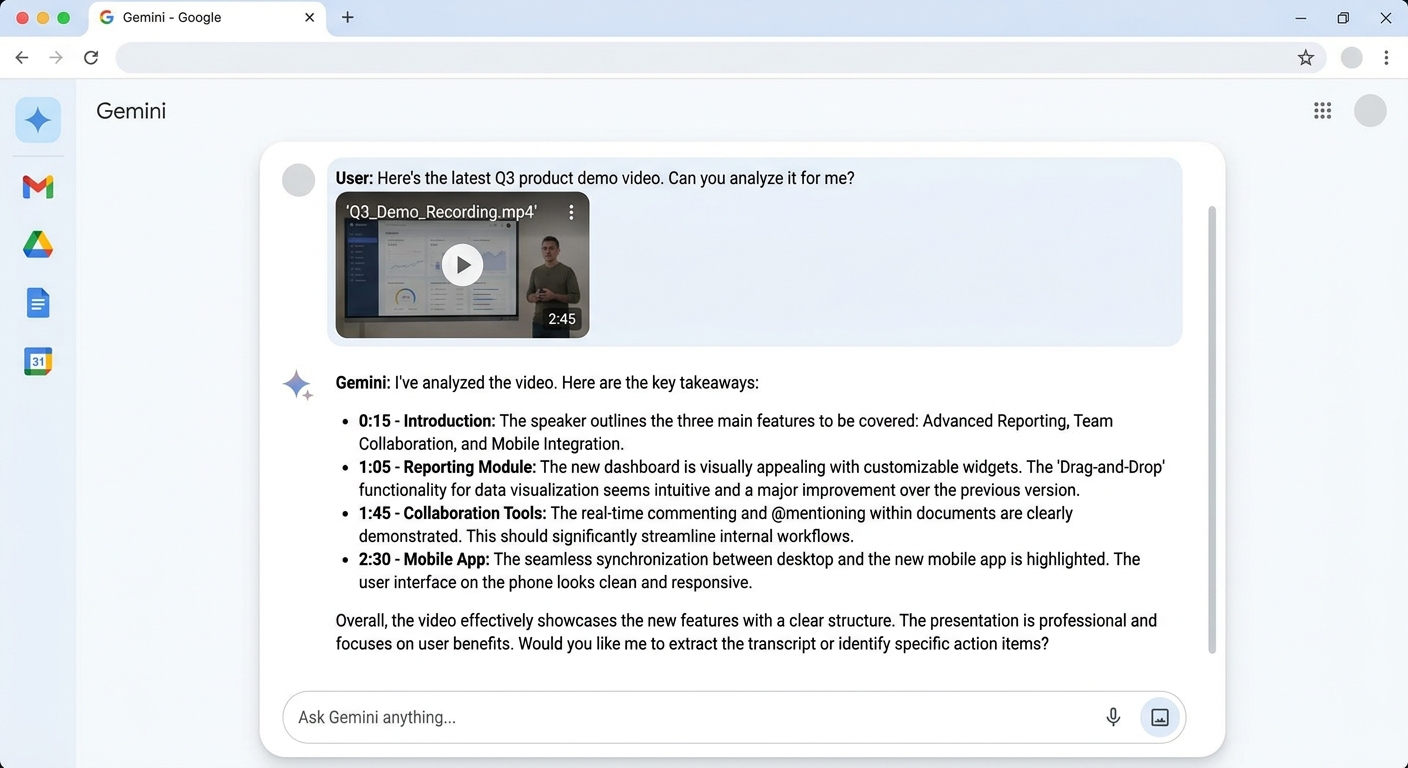
This is the one difference that survives every model update. Gemini treats video, audio and long documents as native input. You hand it a two-hour meeting recording and ask what the finance lead objected to — it answers from the recording, not from a transcript you had to make first. ChatGPT handles images and text well, but video and audio require workarounds.
ChatGPT multimodal
✅ Image understanding — strong, fast
✅ Image generation — GPT Image 2, detailed
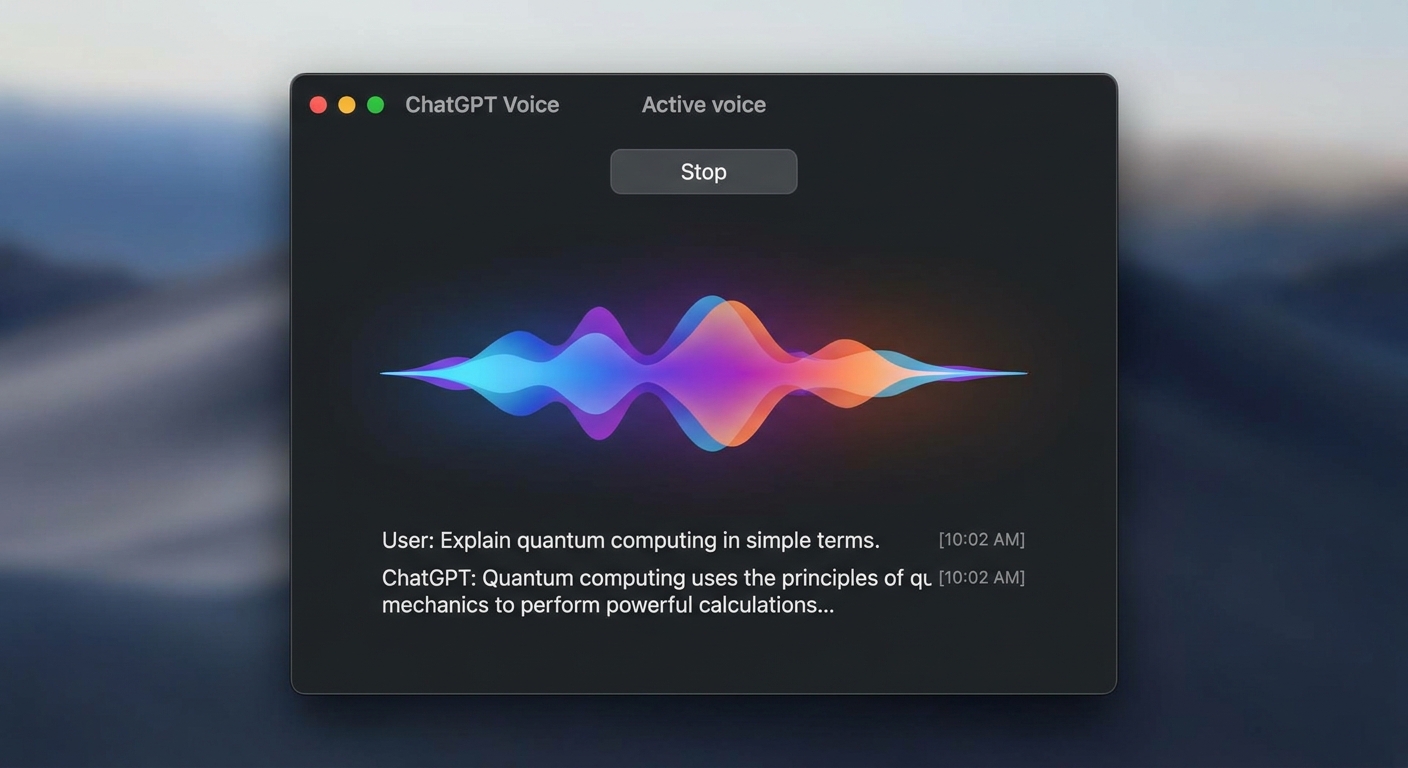
✅ Voice mode — real-time voice conversations
✅ File uploads — PDFs, documents, spreadsheets
⚠️ No native video input — must transcribe first
⚠️ No native audio input — voice mode is output-focused
⚠️ Sora discontinued — no video generation in 2026
Gemini multimodal
✅ Video input — native, upload any video directly
✅ Audio input — native, understand speech natively
✅ Image generation — Nano Banana 2 + Pro
✅ Video generation — Veo 3 / Omni
✅ Music generation — Lyria 3 Pro
✅ Gemini Live — real-time voice conversations
✅ Long documents — 1M tokens on Pro
Multimodal verdict: Gemini is architecturally ahead on multimodal input. A two-hour recording is one prompt on Gemini; on ChatGPT it is a project. For anyone who works with video, audio or very long documents, this is the single biggest practical difference between the two platforms. ChatGPT's voice mode is excellent for real-time conversation, but it cannot ingest a video file and answer questions about its content the way Gemini can.
Gemini accepts video files as native input — no transcription step required. Upload a recording and ask questions directly.
🌐 Ecosystem: ChatGPT's breadth vs Gemini's depth
ChatGPT has the largest standalone AI ecosystem — custom GPTs, plugins, desktop apps, Codex, Agent Mode, Work agent and a Chrome extension. Gemini's ecosystem is smaller as a standalone product but deeply embedded into Google's suite of apps, which billions of people already use daily.
ChatGPT ecosystem
✅ Custom GPTs — build and share specialized assistants
✅ Plugin marketplace — hundreds of third-party integrations
✅ Desktop apps — macOS + Windows native
✅ Codex — integrated coding agent
✅ Agent Mode — autonomous multi-step tasks
✅ Work agent — desktop automation
✅ Chrome extension — browse with AI context
✅ Projects — organize conversations by topic
Gemini ecosystem
✅ Google Workspace — Gmail, Docs, Drive, Sheets, Slides, Meet
✅ NotebookLM — research and writing assistant
✅ Gemini in Chrome — auto browse (Pro+)
✅ Gemini Live — real-time voice assistant
✅ Canvas — collaborative editing
✅ Gems — custom AI personas
✅ Google Antigravity — agentic coding platform
✅ Google Flow — creative AI studio
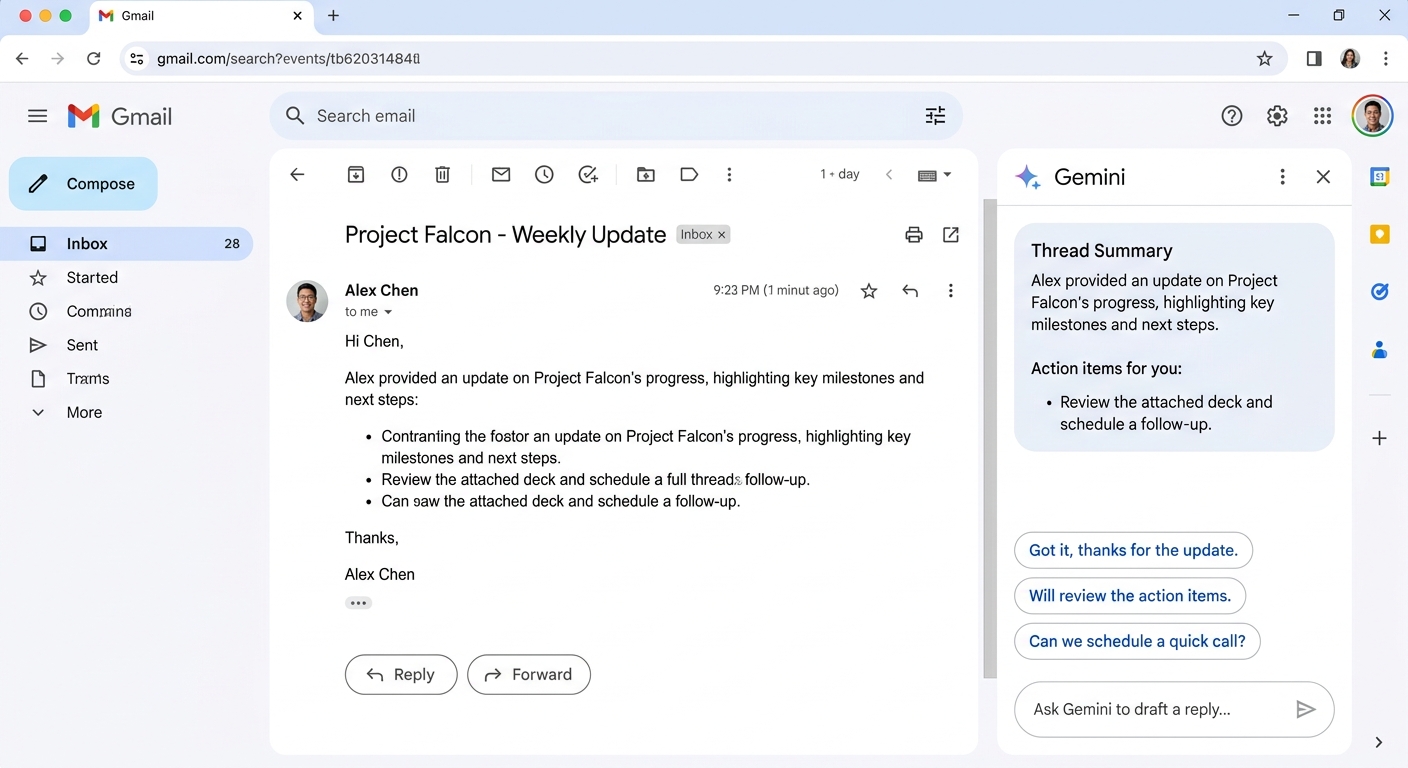
Ecosystem verdict: ChatGPT's ecosystem is broader as a standalone product — more plugins, more third-party integrations, dedicated desktop apps and the largest custom GPTs marketplace. Gemini's ecosystem is narrower but deeper if you live inside Google Workspace: asking Gemini to summarize your Gmail inbox, draft a Doc from a Sheets dataset, or analyze a Drive folder is a fundamentally different experience than copying context between ChatGPT and Google apps. Neither ecosystem is "better" — they serve different daily workflows.
Gemini lives inside Gmail, Docs, Drive and Sheets — no context-switching required. This integration is the core advantage for Google Workspace users.
💻 Coding: Codex vs Antigravity
Both platforms now offer dedicated coding environments beyond simple chat. The difference is in maturity and approach.
ChatGPT coding
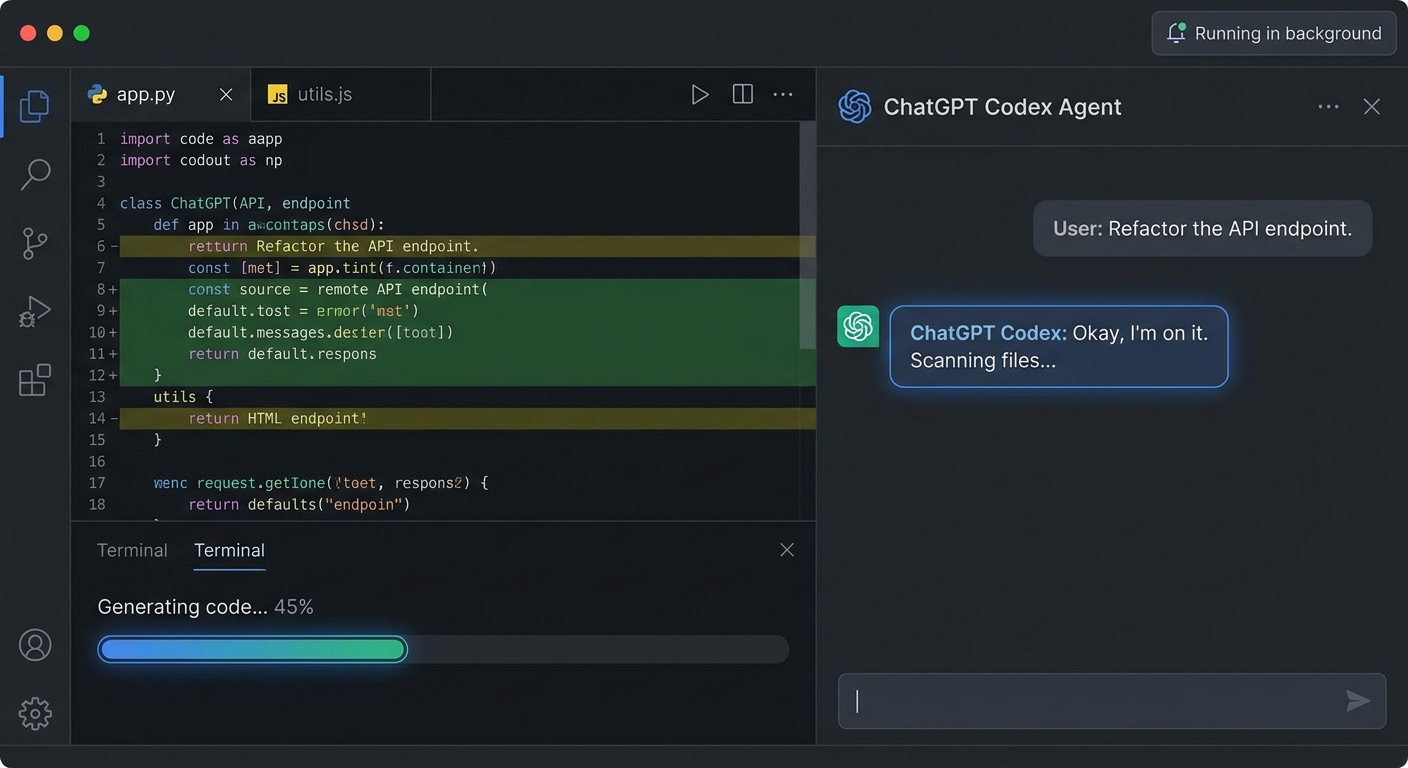
✅ Codex — autonomous coding agent, works in background
✅ GPT-5.6 in chat — strong for inline coding help
✅ Projects — organize codebases by project
✅ File uploads — paste code or upload files
⚠️ SWE-bench Verified: 80.6% (GPT-5.5)
⚠️ Codex limits: shared with Chat features
Gemini coding
✅ Google Antigravity — agentic development platform
✅ Google AI Studio — vibe coding agent
✅ Jules — AI coding assistant
✅ 3.5 Flash — optimized for coding tasks
⚠️ SWE-bench: competitive but lower than GPT-5.5
⚠️ Antigravity: requires AI Pro+ subscription
Coding verdict: ChatGPT's Codex is the more mature coding agent — it runs autonomously in the background, integrates directly into the ChatGPT desktop app, and handles multi-file edits with fewer guardrails. Gemini's Antigravity is newer but promising, especially for developers already in the Google Cloud ecosystem. For pure coding benchmarks, GPT-5.5 currently leads on SWE-bench Verified (80.6%), though Gemini's 3.5 Flash is competitive on everyday coding tasks. The real differentiator is workflow: Codex lets you kick off a coding task and come back to results, while Antigravity is more interactive.
ChatGPT's Codex runs as an autonomous background agent — kick off a task and come back to modified files.
🎨 Ease of use: both are excellent, with different strengths
Both ChatGPT and Gemini are easy to use for basic conversations. The ease-of-use differences emerge when you use advanced features.
ChatGPT ease of use
✅ Desktop apps — native macOS + Windows experience
✅ Projects — organize conversations cleanly
✅ Model picker — choose reasoning level per prompt
✅ Memory — remembers context across sessions
✅ Chrome extension — AI on any webpage
⚠️ Feature overload — many toggles, models, settings
⚠️ Ads on Free/Go — may confuse new users
Gemini ease of use
✅ Familiar interface — Google-style clean design
✅ Workspace integration — AI where you already work
✅ Daily Brief — proactive morning summary
✅ Gems — quick access to custom personas
✅ Connected Apps — link external services
⚠️ No dedicated desktop app — web + mobile only
⚠️ Compute-based limits — complex prompts use more quota
Ease-of-use verdict: ChatGPT has the better standalone experience — native desktop apps, a Chrome extension and Projects make it feel like a complete product. Gemini's advantage is that it meets you where you already are: if you use Gmail, Docs and Chrome daily, Gemini's AI is already there without installing anything new. The tradeoff is that Gemini's standalone experience (web-only, no desktop app) is less polished than ChatGPT's.
ChatGPT's Advanced Voice Mode with real-time conversation — the most polished voice experience in the AI assistant space.
🧭 Which should you choose? Four scenarios
💰 "I want the best AI assistant for the lowest price."
Choose Gemini AI Plus ($4.99/mo). It is the cheapest paid tier from any major AI provider, gives you 2x the free usage, video generation via Omni, and 128K context. If you use Google Workspace, the integration alone is worth it. Upgrade to AI Pro ($19.99) when you need 1M context and Deep Research.
💻 "I need the broadest standalone AI toolset."
Choose ChatGPT Plus ($20/mo). GPT-5.6 Sol, Deep Research, Agent Mode, Codex, custom GPTs, desktop apps and the Chrome extension give you the most feature-rich standalone AI experience. No other platform matches this breadth outside of Google's ecosystem.
🎥 "I work with video, audio or very long documents."
Choose Gemini AI Pro ($19.99/mo). Native video and audio understanding is something ChatGPT simply cannot match in 2026. A two-hour meeting recording is one prompt on Gemini. On ChatGPT, you would need to transcribe it first. The 1M token context window also handles documents that exceed ChatGPT's 128K limit.
🏢 "I need AI for my team across Google Workspace."
Choose Gemini (via Google Workspace). Gemini is the only AI assistant deeply integrated into Gmail, Docs, Drive, Sheets, Slides and Meet at the platform level. ChatGPT Business ($20/user/mo) is a strong standalone option, but it requires copying context between ChatGPT and Google apps. If your team already lives in Google Workspace, Gemini's integration eliminates that friction entirely.
❓ Frequently asked questions
Can I use both ChatGPT and Gemini together?
Yes, and this is increasingly common. Many power users subscribe to ChatGPT Plus for coding and agentic tasks while using Gemini for Google Workspace integration and multimodal work. The two platforms do not compete for the same workflows — they complement each other. If budget allows, using both covers more ground than either alone.
Which is better for coding?
ChatGPT, for now. Codex is a more mature coding agent than Google's Antigravity, and GPT-5.5 leads on SWE-bench Verified (80.6%). Gemini's 3.5 Flash is competitive for everyday coding help, and Antigravity is improving rapidly. If you need a background coding agent that handles multi-file edits autonomously, ChatGPT's Codex is ahead. If you code primarily inside Google Cloud or want a more interactive experience, Antigravity is worth evaluating.
Does Gemini's cheaper API pricing matter for developers?
Yes, significantly. Gemini's API input pricing is roughly 2–3x cheaper than ChatGPT's at comparable capability tiers. For developers building applications that process large volumes of text, images or video, Gemini's API cost advantage compounds quickly. Google has also announced that Gemini Flash pricing will double on January 1, 2027 — locking in current rates through the end of 2026.
Is my data safe on both platforms?
At the API and enterprise tier, both OpenAI and Google commit to not using your inputs and outputs to train future models by default. Consumer accounts operate under different terms — both default to using conversations for model improvement unless you opt out in settings. If data privacy is critical, the Business/Enterprise tiers from either provider offer stronger guarantees.
Which free tier is better?
Gemini's free tier offers more for less: 3.6 Flash as default with limited 3.1 Pro access, image generation, Deep Research and Canvas — all at no cost. ChatGPT's free tier gives you GPT-5.6 Luna (limited), limited uploads and image generation, and limited deep research. ChatGPT's free tier now includes unlimited text chats (no message counter), which is a significant improvement. But Gemini's free tier includes more features outright.
🔎 Final verdict
🧠 ChatGPT — 8.7
The broadest standalone AI: GPT-5.6 models, voice, Codex, Agent Mode, custom GPTs, desktop apps and the largest plugin ecosystem. Best for teams that need a feature-rich AI tool outside of Google Workspace.
The power user's choice for standalone AI.
🌟 Gemini — 8.5
The value and multimodal champion: cheapest entry at $4.99/mo, native video/audio understanding, Google Workspace integration, 5TB storage and YouTube Premium Lite on Pro. Best for anyone already in Google's ecosystem.
The smart choice for Google Workspace users.
The honest summary: ChatGPT wins on ecosystem breadth. If you need a standalone AI tool with the most features — voice, coding, plugins, desktop apps, agentic workflows — ChatGPT Plus at $20/mo is the most feature-complete option. Gemini wins on value and integration. If you live inside Google Workspace, the $4.99 AI Plus tier gives you the cheapest entry point, and the native multimodal capabilities (video, audio, long documents) are something ChatGPT cannot match in 2026. The two platforms are converging — ChatGPT is adding more Google-like integrations, Gemini is adding more standalone features — but the gap in philosophy remains: ChatGPT optimizes for the broadest standalone tool, Gemini optimizes for the deepest ecosystem integration.
The best AI assistant is the one that fits your workflow
AI assistants are tools, not identities. Use ChatGPT if it gives you the broadest feature set. Use Gemini if it meets you inside the apps you already use. The visitors do not care which model you chose — they care whether the output was useful.
Explore the tool cards above — both assistants have full profiles with criteria scores on this site.
ChatGPT vs Gemini: head-to-head
Criteria scores from our testing methodology. Pricing, model and feature data are current as of September 2026.
Best value — cheapest entry at $4.99/mo, native video/audio understanding, Google Workspace integration and up to 1M token context
Verdict:
ChatGPT wins on ecosystem breadth, coding, and agentic tooling. Gemini wins on value, native multimodal, and Google Workspace integration. The right choice depends on whether you live inside Google's ecosystem or need the broadest standalone AI feature set.