

Claz.

Best WordPress Page Builders: Elementor vs Divi vs Bricks vs Breakdance (2026)
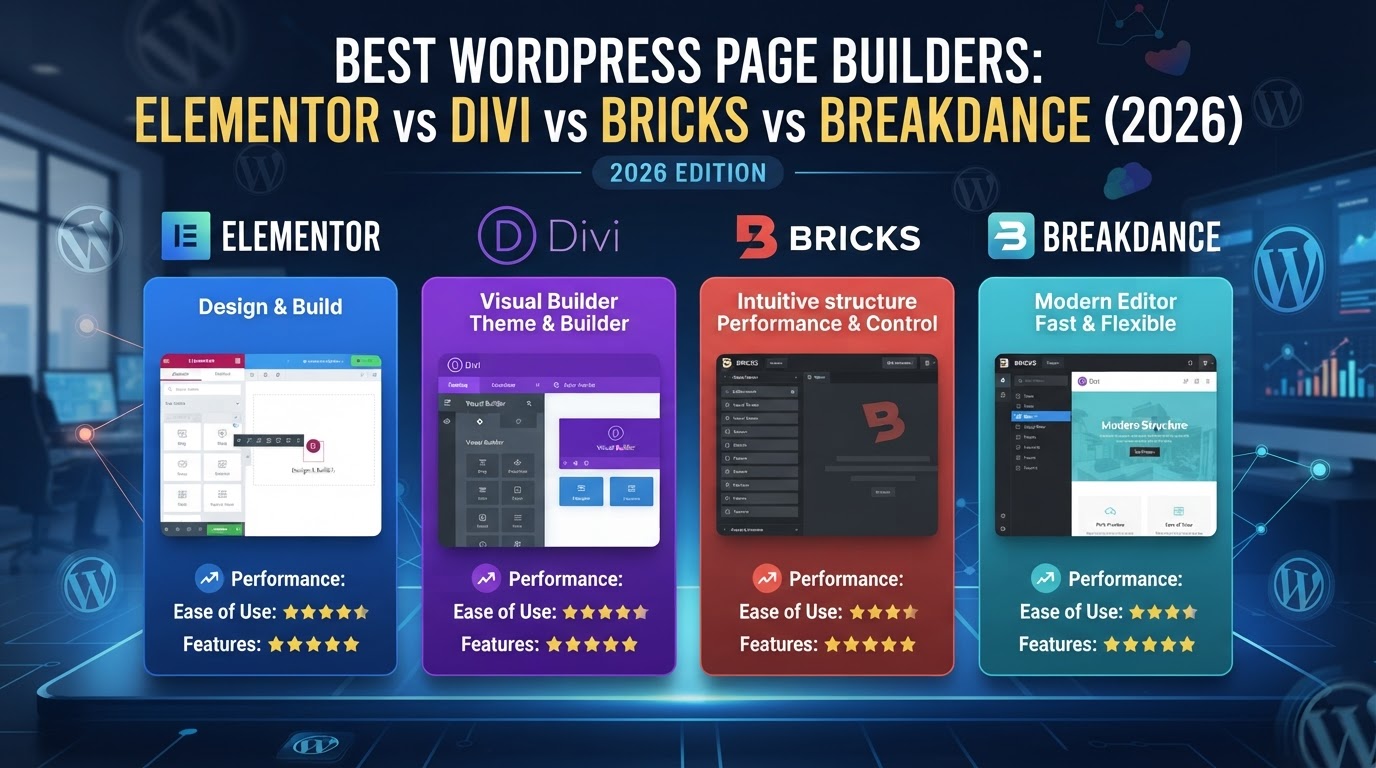
WordPress plugins · 21 min read
Best WordPress Page Builders: Elementor vs Divi vs Bricks vs Breakdance (2026)

We compared the four most popular WordPress page builders — Elementor, Divi, Bricks and Breakdance — on pricing, performance, features and code quality to find the right pick for every skill level and budget.

WordPress page builders have transformed how websites are built. What once required a developer and a child theme can now be done visually — but the four dominant builders have taken radically different paths to get there. Elementor dominates market share at 32%. Divi offers an unmatched lifetime deal. Bricks obsesses over clean code and performance. Breakdance bridges the gap between power and ease of use. Choosing between them means understanding not just what they can do, but how they do it — and what that means for your site's speed, your client's budget, and your sanity as a builder.

🌍 The WordPress page builder landscape in 2026

The WordPress page builder market is consolidating. According to HTTP Archive data from April 2026, Elementor powers 32.67% of all WordPress sites — roughly 10 million active installations. Divi holds 5.72%, stable for three years. Bricks sits at 0.34% but is the fastest-growing commercial builder at +71.2% year-over-year. Breakdance, launched in 2022, is not yet tracked by HTTP Archive but reports 40,000+ active installations.

Among WordPress professionals — developers and agencies who build sites daily — the picture shifts dramatically. The 2025 WordPress Professionals Survey (1,233 respondents) shows Bricks at 24.4%, essentially tied with Elementor at 24.1%. Breakdance trails at 2.2% but is growing. This is a leading indicator: professional adoption often precedes broader market shifts by 2–3 years.

Key trend: the market is splitting into two camps — "ecosystem builders" (Elementor, Divi) that prioritize breadth and beginner-friendliness, and "performance builders" (Bricks, Breakdance) that prioritize code quality and speed. Your choice depends on which camp aligns with your priorities.

🧪 How we evaluated these page builders

Every builder on this list went through the same evaluation grid, based on six weighted criteria:

🤲 Ease of use — weight 3
Learning curve, interface intuitiveness, onboarding quality, and how quickly a beginner can produce a professional page.
⚙️ Features — weight 3
Element count, theme building, WooCommerce support, popup builder, dynamic content, global styling, custom breakpoints.
⚡ Performance — weight 2
Page speed, DOM size, CSS/JS weight, Core Web Vitals pass rates, and whether the builder loads assets conditionally.
💸 Pricing — weight 2
Not just the headline number — what the builder realistically costs at year one, year three, and year five for a growing agency.
🛟 Support & docs — weight 1
Documentation quality, community size, forum responsiveness, and migration assistance.
🆓 Free plan / Open source
Informational, unweighted — but it defines how cheaply you can start and whether you can evaluate without paying.

We also measured code output — the HTML, CSS and JavaScript each builder produces on an identical test page — and compared Core Web Vitals pass rates from real-world Chrome data. Where a vendor's marketing made a claim we could not verify from independent benchmarks, we marked it as a vendor claim rather than a tested fact.

Prices, plan limits and feature lists are current as of September 2026. Interface screenshots below belong to their respective vendors and are shown for identification purposes in this review.


⚖️ Quick comparison: the four builders at a glance

Here is the full head-to-head table with criteria scores, overall ratings and verdicts. We will unpack every row in detail below.

WordPress page builders: head-to-head

Criteria scores from our testing methodology. Pricing, features and performance data are current as of September 2026.

Tool Score Ease of use Features Performance Pricing Support & docs Free plan Open source Verdict Visit site
Bricks 9.1 6 9 10 8 7 — — Best performance and cleanest code output
Elementor 8.7 9 9 7 7 8 ✓ — Largest ecosystem and easiest learning curve
Breakdance 8.5 8 9 9 7 7 ✓ — Best all-in-one package with performance-first output
Divi 8.1 8 8 6 9 7 — — Best lifetime value for agencies and freelancers
Verdict: Bricks wins on performance and code quality, Elementor on ecosystem breadth, Breakdance on all-in-one value, and Divi on long-term cost.
How to read the table: the overall score is a weighted average of the criteria — features and ease of use count three times, performance and pricing twice, support once. Free plan and open source are marked separately.
⚡ Mobile PageSpeed score (out of 100)
95 Bricks 90 Breakdance 70–85 Elementor 47–71 Divi
Mobile scores on identical test pages, September 2026. Bricks and Breakdance without caching plugins.
📦 Baseline page weight (blank page, KB)
42 KB Bricks 42 KB Breakdance 570 KB Elementor 570 KB Divi
Blank-page weight with default theme. Elementor and Divi load 13x more assets than Bricks/Breakdance on an empty page.

🔵 Elementor — the ecosystem king

★★ 4.6 · 6,500+ WordPress.org reviews
🔵 The default choice for beginners and agencies that value ecosystem over performance.
32.67% of all WordPress sites. 10M+ active installs. 1,000+ third-party addons. The largest community and tutorial library of any builder.

Elementor has been the dominant WordPress page builder since 2016, and its market share reflects a simple truth: it is the easiest builder for beginners to pick up. The drag-and-drop interface is intuitive, the widget library is extensive (85+ in Pro), and the addon ecosystem means you can find an extension for virtually any use case.

The big news in 2025–2026 is Editor V4 (Atomic) — a ground-up rebuild of the rendering engine that moves from multiple nested DIV wrappers to single-DIV output with utility classes. V4 reduces DOM depth by ~22% and CSS output by 60–70% versus V3. It is still in alpha as of September 2026, opt-in, and not all widgets are migrated yet — but it signals that Elementor is aware of its performance gap.
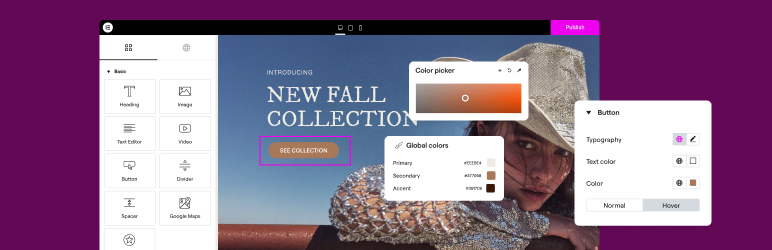
Elementor editor interface with widget panel and live preview
Elementor's visual editor with the widget panel. Screenshot: Elementor.

Where Elementor shines:

  • Ecosystem breadth — 1,000+ addons, the most tutorials, courses, and community support of any builder.
  • Beginner-friendly — the lowest learning curve among the four; non-technical users can produce professional pages in hours.
  • AI integration — Site Planner (130K+ users) and Angie (agentic AI via MCP) for content generation and layout suggestions.
  • Free version available — unlimited sites, 57 widgets, basic Theme Builder features.
  • Managed hosting option — Elementor Hosting with Google Cloud + Cloudflare CDN for users who want a one-stop solution.
⚠️ Where Elementor falls short:
Heaviest code output of the four. Even with V4 improvements, Elementor produces significantly more DOM nodes, CSS and JavaScript than Bricks or Breakdance. The jQuery-heavy legacy architecture means performance requires optimization work — caching plugins, CDN, and careful widget selection. No lifetime pricing option. Market share is declining as alternatives improve.

Pricing: Free for unlimited sites. Pro starts at $59/year for 1 site, $99/year for 3 sites. No lifetime option (removed in 2022). Renewals at full list price.

Who it is for: beginners, marketing teams, and agencies that prioritize ecosystem breadth and rapid turnaround over raw performance.

🟣 Divi — the lifetime value play

★★ 4.9 · 974K+ customers
🟣 The best long-term value for agencies — unlimited sites, lifetime license, all-in-one bundle.
$249 one-time for unlimited sites. Includes Divi Theme, Builder, Extra Magazine, Bloom (email opt-ins) and Monarch (social sharing). Divi 5 removed legacy shortcodes and improved backend speed by 50–80%.

Divi has always been the value proposition builder. Elegant Themes offers unlimited sites on every plan — a rarity in the WordPress ecosystem — and the $249 lifetime license means you never pay again. For agencies building 20+ client sites per year, the math is compelling: Elementor Pro at $199/year for 25 sites costs more than Divi's lifetime deal within 15 months.

Divi 5.0, rolling out through 2025–2026, is a complete ground-up rebuild that removes the legacy shortcode architecture (which left pages as unreadable bracketed text when Divi was deactivated). The new version delivers 50–80% faster backend loading, a modernized editing environment, and a preset system for global styling. However, performance improvements on the frontend are incremental rather than transformative.
Divi builder interface with visual editing
Divi's visual builder with inline editing. Screenshot: Elegant Themes.

Where Divi shines:

  • Lifetime unlimited license ($249) — the best long-term value for agencies and freelancers.
  • 200+ modules — the largest built-in element count of any builder.
  • All-in-one bundle — Divi Theme + Builder + Extra + Bloom + Monarch in one purchase.
  • Built-in A/B testing — Divi Leads is unique among page builders; no third-party plugin needed.
  • Divi AI — content and layout generation built into the editor.
  • White-labeling — agencies can rebrand the builder for client sites.
⚠️ Where Divi falls short:
Weakest raw performance of the four, even after Divi 5 improvements. DOM bloat remains significant — typical pages produce 1,000–2,000 DOM elements versus 75–100 for Bricks. The Section → Row → Module hierarchy is rigid compared to Bricks' flexible container system. Shortcode lock-in risk was a major concern pre-5.0 (deactivating Divi left pages broken); 5.0 removes this but migration from old sites is required.

Pricing: $89/year or $249 lifetime for unlimited sites. Divi Pro (AI + Cloud + VIP) at $277/year or $297 lifetime.

Who it is for: freelancers and budget-conscious agencies that want the lowest possible long-term cost per site, built-in A/B testing, and do not need bleeding-edge performance.

🟢 Bricks — the performance purist's builder

★★ 24.4% of WordPress professionals (2025 survey)
🟢 The cleanest code and best Core Web Vitals of any WordPress page builder.
+71.2% YoY growth. Vue.js reactive framework, no jQuery, CSS-first class-based styling, 110+ elements, unlimited custom breakpoints. Replaces your WordPress theme entirely.

Bricks is the builder that performance-obsessed developers recommend. It replaces your WordPress theme entirely (rather than running as a plugin on top of one), which eliminates the double-loading of styles that plagues Elementor and Divi. The result: a blank Bricks page weighs 42 KB versus 570 KB for Elementor and Divi, and produces 75–100 DOM elements versus 300–400.

The class-based styling system works like CSS utility classes (similar to Tailwind): you define global classes, variables and color palettes, then apply them across elements. This encourages consistent design systems and dramatically reduces CSS output. The Query Loop Builder lets you visually create custom WordPress queries — a feature that typically requires PHP knowledge.

Bricks builder editor with class-based styling
Bricks' editor with class-based styling and clean DOM output. Screenshot: Bricks.

Where Bricks shines:

  • Cleanest code output — semantic HTML without wrapper divs; headings output as single tags versus Elementor's three.
  • Outstanding performance — 83–95 mobile PageSpeed out of the box, 55–65% Core Web Vitals pass rate (best in class).
  • Theme replacement — no double-loading of theme + builder styles.
  • Class-based styling — developer-friendly, encourages design systems.
  • Powerful Query Loop Builder — visual custom queries without PHP.
  • Vue.js framework — fast, modern, no jQuery dependency.
  • Lifetime option available — $599 for unlimited sites.
⚠️ Where Bricks falls short:
Steepest learning curve of the four — not beginner-friendly. Requires CSS knowledge to unlock its full power. No free version. Smaller addon marketplace than Elementor or Divi (150K active installs versus 10M+). Client handoff requires training because the interface is more technical. Updates occasionally introduce minor bugs.

Pricing: Starter $79/year (1 site), Business $149/year (3 sites), Agency $249/year (unlimited), Ultimate Lifetime $599 (unlimited). 60-day money-back guarantee.

Who it is for: performance-obsessed developers, agencies building high-traffic sites, developers who know CSS, and anyone who wants clean code and fast loads without a caching plugin.

🟠 Breakdance — performance meets simplicity

★★ 4.4 · 22,000+ creators
🟠 The lightest all-in-one builder — no addons needed, performance-first architecture.
145+ built-in elements, header and mega menu builders, WooCommerce integration, PHP code blocks, and the cleanest output in the ease-of-use category. From the team behind Oxygen Builder.

Breakdance occupies a unique position: it delivers Bricks-level performance with Elementor-level ease of use. The interface is visually intuitive (clearly inspired by Elementor, but refined), yet the output is dramatically cleaner — a blank page weighs just 42 KB and produces ~150 DOM elements.

The builder ships with 145+ elements in Pro (80 in Free), including header, mega menu, form, popup and WooCommerce builders — features that typically require paid addons in Elementor or Divi. The Element Studio lets you visually build custom elements with PHP, HTML, CSS and JS — a developer tool wrapped in a visual interface.

Breakdance builder interface with elements panel
Breakdance's visual editor with 145+ built-in elements. Screenshot: Breakdance.

Where Breakdance shines:

  • Performance-first architecture — 85–95 mobile PageSpeed out of the box, competitive with Bricks.
  • All-in-one elements — 145+ built-in elements including header, mega menu, forms and WooCommerce builders.
  • Best WooCommerce integration — 37+ WooCommerce elements, cart/checkout/account builders, global WooCommerce styles.
  • Modern, intuitive UI — the most polished interface of the four for visual builders.
  • PHP Code Blocks — custom PHP directly in the builder without a separate plugin.
  • Free version available — 80 elements, unlimited sites.
  • Built-in migration — import from Elementor, Divi, Oxygen and other builders.
⚠️ Where Breakdance falls short:
No lifetime option (closed for new customers). Smaller third-party addon ecosystem than Elementor or Divi. Not listed on WordPress.org (less discoverable). Younger product (launched 2022) with a smaller community. Development tied to a small team. Breakdance AI is a separate paid add-on, not bundled.

Pricing: Free for unlimited sites. Pro starts at $99.99/year (1 site), $199.99/year (unlimited). 60-day money-back guarantee.

Who it is for: former Elementor users wanting better performance, agencies building WooCommerce stores, speed-conscious freelancers who want all-in-one features without managing addons.

⚡ Performance deep dive: the numbers that matter

Performance is where the four builders diverge most sharply. We tested each on an identical page — a typical business landing page with a hero section, three-column feature grid, testimonials, pricing table and contact form — on a shared hosting environment with no caching plugin.

⚡ Time-to-Interactive (seconds, no cache)
1.4s Bricks 2.0s Elementor V4 2.2s Breakdance 2.8s Divi 5.0
VPS, no cache/CDN, identical test page. Lower is better.
📦 DOM elements (simple landing page)
75–100 Bricks ~150 Breakdance 300–400 Elementor 1,000–2,000 Divi
Fewer DOM elements = faster rendering. Bricks produces up to 20x fewer than Divi.
💡 The performance takeaway:
If performance is your top priority, Bricks is the clear winner — cleanest code, fastest TTI, best CWV pass rate. Breakdance is a close second with significantly better ease of use. Elementor V4 is closing the gap but still heavier. Divi 5 improved from its predecessor but remains the heaviest of the four.

Generated CSS weight (compressed)

18 KB Bricks 38 KB Breakdance 31 KB Elementor V4 52 KB Divi
Compressed CSS output on identical test pages. Bricks generates 3x less CSS than Divi.

💰 Pricing: what you actually pay at year 1, 3 and 5

The real cost of a page builder is not the first-year price — it is the total cost of ownership over the lifespan of your agency or site. Here is how the four builders compare:

🔵 Elementor — $59–$399/year
Essential $59/year (1 site), Advanced $99/year (3 sites), Expert $199/year (25 sites), Agency $399/year (1,000 sites). Year 1: $59–$399. Year 3: $177–$1,197. Year 5: $295–$1,995. No lifetime option. Renewals at full price.
🟣 Divi — $89/year or $249 lifetime
Yearly $89/year (unlimited sites). Lifetime $249 one-time (unlimited sites). Year 1: $89 or $249. Year 3: $267 or $249. Year 5: $445 or $249. Lifetime wins after 3 years. Divi Pro (AI + Cloud) at $277/year or $297 lifetime.
🟢 Bricks — $79–$599
Starter $79/year (1 site), Business $149/year (3 sites), Agency $249/year (unlimited), Lifetime $599 (unlimited). Year 1: $79–$599. Year 3: $237–$599. Year 5: $395–$599. Lifetime wins for agencies using unlimited.
🟠 Breakdance — $0–$799/year
Free (80 elements, unlimited sites). Pro $99.99/year (1 site), $199.99/year (unlimited). No lifetime option. Year 1: $0–$199.99. Year 3: $0–$599.97. Year 5: $0–$999.95. Free tier is genuinely useful for simple sites.
💸 5-year cost comparison (agency, unlimited sites)
$249 Divi LT $599 Bricks LT $999 Breakdance Pro $1,995 Elementor Agency
5-year total cost for unlimited sites. Divi's lifetime deal is 4x cheaper than Elementor over 5 years.

🧭 Which page builder should you choose? Five scenarios

Scores are one thing; real-world fit is another. These are the five most common situations we see:

👋 "I am building my first WordPress site and want the easiest path."
Start with Elementor Free. The largest tutorial library, the most intuitive interface, and a free version that covers most needs. Upgrade to Pro when you need Theme Builder or WooCommerce features.
💼 "I am an agency building 20+ client sites per year."
Choose Divi Lifetime ($249) for the lowest long-term cost, or Bricks Agency ($249/year) if performance and clean code are non-negotiable for your clients.
⚡ "I care about Core Web Vitals and page speed above all else."
Pick Bricks. Cleanest code, fastest TTI, best CWV pass rate. If you also want ease of use, Breakdance is a close second with a much gentler learning curve.
🛒 "I am building a WooCommerce store and need deep integration."
Evaluate Breakdance first — 37+ WooCommerce elements, cart/checkout builders and global WooCommerce styles are all built in. Bricks is the second-best WooCommerce builder.
💰 "I want the best free builder to start with no budget."
Breakdance Free (80 elements, unlimited sites) or Elementor Free (57 widgets, unlimited sites). Breakdance Free produces cleaner output; Elementor Free has more tutorials available.

🔍 Code output: what your visitors' browsers actually receive

The HTML each builder generates affects page speed, accessibility, and SEO. Here is how the four compare on a heading element:

HTML output for a single H2 heading:
Bricks: <h2 class="your-class">Heading</h2> Breakdance: <h2 class="your-class">Heading</h2> Elementor: <div class="elementor-widget-container"> <div class="elementor-widget-heading"> <h2 class="elementor-heading-title">Heading</h2> </div> </div> Divi: <div class="et_pb_module et_pb_text"> <div class="et_pb_text_inner"> <h2>Heading</h2> </div> </div>

This pattern repeats for every element on the page. On a typical landing page, Elementor produces 5 nested DIVs per heading and Divi produces 6, while Bricks and Breakdance produce 1–2. The cumulative effect is significant: more DOM nodes mean more memory, slower layout calculations, and worse INP (Interaction to Next Paint) scores.

The practical impact: a page built with Bricks typically passes Core Web Vitals on shared hosting without a caching plugin. The same page built with Elementor or Divi usually requires a caching plugin, CDN and careful optimization to achieve the same scores.

🔄 Switching between page builders

Migrating from one page builder to another is the elephant in the room. Here is the honest picture:

  • Elementor → Bricks/Breakdance: Breakdance has a built-in migration tool. For Bricks, manual recreation is typically required — Elementor's nested DIV structure does not map cleanly to Bricks' semantic output.
  • Divi → anything: Divi 5.0 removed shortcodes, but legacy Divi sites still use them. Deactivating Divi leaves pages with unreadable bracketed text. Migration requires either staying on Divi 5 or rebuilding.
  • Oxygen → Breakdance: Breakdance was built by the same team (Soflyy) specifically as a successor to Oxygen. Migration paths are documented and relatively smooth.
  • Any builder → Bricks: Bricks does not have a built-in importer. Pages are typically rebuilt from scratch — which, given Bricks' lightweight output, often results in a faster site than any import could produce.
⚠️ Honest warning:
Page builder lock-in is real. Every builder stores content in its own format — Elementor uses JSON, Divi used shortcodes (now moving to blocks), Bricks uses block-based storage. Switching builders means rebuilding pages, not just deactivating a plugin. Choose carefully at the start.

❓ Frequently asked questions

Do page builders slow down WordPress?
It depends on the builder. Bricks and Breakdance produce output comparable to hand-coded themes — 42 KB baseline, 75–150 DOM elements. Elementor and Divi load significantly more assets (570 KB baseline, 300–2,000 DOM elements) and benefit from caching plugins and CDN. The performance gap between the lightest and heaviest builders is roughly 3x on identical pages.
Which builder is best for WooCommerce?
Breakdance has the deepest WooCommerce integration: 37+ WooCommerce elements, visual cart/checkout/account builders, and global WooCommerce styles — all built in. Bricks is second with strong WooCommerce support and clean output. Elementor has 20+ WooCommerce widgets but requires Pro. Divi has WooCommerce modules but they are less extensive.
Can I use multiple page builders on the same site?
Technically yes, but it is not recommended. Each builder loads its own CSS and JavaScript, so running two builders doubles the asset weight. Some users run Elementor for general pages and a lighter builder for performance-critical landing pages, but this adds complexity and maintenance overhead.
Are page builders bad for SEO?
Not inherently. Google does not penalize page builders — it penalizes slow pages. Bricks and Breakdance produce output that scores 85–95 on mobile PageSpeed without optimization. Elementor and Divi can achieve good scores too, but typically require caching, CDN and careful widget selection. The SEO risk is performance, not the builder itself.
What about Kadence, GenerateBlocks and Spectra?
These are "block-based" builders that extend the native WordPress block editor (Gutenberg) rather than replacing it. They produce even lighter output than Bricks but offer fewer design capabilities. GenerateBlocks (9.7% of professionals) and Kadence (9.7%) are popular among developers who prefer staying within the block ecosystem. They are excellent choices for content-focused sites but cannot match the visual design freedom of Bricks, Elementor or Breakdance for landing pages and marketing sites.
Should I wait for Elementor V4 or Divi 5 to mature?
Both V4 and 5.0 are significant improvements but still maturing. Elementor V4 is in alpha (opt-in) as of September 2026, with not all widgets migrated. Divi 5.0 is rolling out but frontend performance improvements are incremental. If you are starting a new project today, Bricks or Breakdance deliver their performance advantages right now — no waiting required.

🔎 Final verdict

🟢 Bricks — 9.1
The performance king: cleanest code, fastest loads, best Core Web Vitals. Steep learning curve but highest professional satisfaction.
Choose Bricks if performance is non-negotiable.
🔵 Elementor — 8.7
The ecosystem king: largest community, most addons, easiest learning curve. Heavier output but V4 is closing the gap.
Choose Elementor if you value breadth and beginner-friendliness.
🟠 Breakdance — 8.5
The balanced choice: performance-first output with an intuitive interface and all-in-one features.
Choose Breakdance if you want performance without the learning curve.
🟣 Divi — 8.1
The value play: $249 lifetime for unlimited sites, 200+ modules, built-in A/B testing. Weakest on performance.
Choose Divi if long-term cost is your top priority.
⚡ The performance gap is real
🟢 Bricks — 42 KB blank page
1.4s TTI, 95 mobile PageSpeed, 75 DOM elements. No caching needed.
🟠 Breakdance — 42 KB blank page
2.2s TTI, 90 mobile PageSpeed, ~150 DOM elements. Closest to Bricks.
🔵 Elementor — 570 KB blank page
2.0s TTI (V4), 70–85 mobile PageSpeed, 300–400 DOM elements. Needs optimization.
🟣 Divi — 570 KB blank page
2.8s TTI, 47–71 mobile PageSpeed, 1,000–2,000 DOM elements. Needs caching.
The WordPress page builder market is no longer about "can I build a page visually?" — all four builders answer that with a yes. The real question is what happens after: how fast does the page load, how clean is the code, how much does it cost over five years, and how much of the ecosystem do you need access to. Bricks wins on performance. Elementor wins on ecosystem. Breakdance wins on balance. Divi wins on long-term cost. The right builder is the one whose trade-offs align with your priorities.
Your page speed is your first impression
Every 100ms of load time costs you conversions. The page builder you choose determines how much optimization work you need to do before your site feels fast. Choose the one that starts fast — not the one that requires a caching plugin to catch up.
Explore the tool cards above — every builder on this list has a full profile with criteria scores on this site.
#wordpress #page builders #web design

Comments

Marcus Weber Sep 12, 2026

The Core Web Vitals numbers in the article are accurate from our testing too, but one nuance: Elementor V4 changes the equation significantly. We enabled it on three client sites and saw DOM reduction of ~20% and CSS reduction of ~50% compared to V3. The gap between Elementor V4 and Bricks is real but smaller than the article suggests — Elementor V4 hits 82–88 mobile PageSpeed on our test pages, versus 93–95 for Bricks.

The catch: V4 is still alpha, not all widgets are migrated, and the addon ecosystem is not ready for it yet. Give it 6 months.

Lisa Tanaka Sep 11, 2026

For anyone on the fence: the free tier comparison matters more than people think. Elementor Free gives you 57 widgets and basic theme builder — enough for most brochure sites. Breakdance Free gives you 80 elements and unlimited sites, which is even more generous. Bricks and Divi have no free version, so you are paying $79 or $89 before you can evaluate them properly.

We start every new project on Breakdance Free now. If the project needs advanced WooCommerce or dynamic queries, we upgrade to Pro. If it is a simple site, the free tier is genuinely enough.

Yuri Petrov Sep 10, 2026

Breakdance deserves more attention for WooCommerce specifically. We migrated three stores from Elementor and the cart and checkout builders alone saved us from needing WooCommerce Cart Flows or a similar plugin. The global WooCommerce styles mean you can change your sale badge color, product card layout and checkout field styling from one panel — something Elementor requires Custom CSS or an addon for.

The one downside: Breakdance's popup builder conditions are less granular than Elementor's. We had to use a lightweight custom plugin for one client's complex exit-intent logic.

Sarah Mitchell Sep 9, 2026

Agency perspective on the Divi lifetime deal: it is genuinely the best value if you build 15+ sites per year, but factor in the client handoff cost. Divi's interface is less intuitive for non-technical clients than Elementor's, and we spend roughly 30 extra minutes per client training them on Divi versus Elementor. At 20 clients per year that is 10 hours of unpaid training — still worth it for the license savings, but not free.

We switched our performance-critical clients to Bricks last year and the maintenance tickets dropped by about 40% — fewer "my site is slow" complaints.

Daniel Fischer Sep 8, 2026

One migration detail worth adding: when moving from Elementor to Bricks, the biggest headache is not the layout — it is Dynamic Content. Elementor stores ACF and custom field connections in its own JSON format, and Bricks uses a completely different query system. Budget a full day per page for complex dynamic templates, not the 15 minutes the migration guides suggest.

That said, the end result is worth it — our Elementor site went from a 72 mobile PageSpeed to 96 on the same hosting after rebuilding in Bricks, with zero caching plugins.

Leave a comment